All plans except Pay As You Go include API access.
The Signable API uses Basic HTTP Authentication. You authenticate requests using your API key as the username. The password field accepts any value and is not validated.
To authenticate a request, include an Authorization header with your Base64-encoded credentials:
Authorization: Basic <base64(API_KEY:x)>Where:
API_KEYis your Signable API keyxis a placeholder password
Log into the Signable web app.
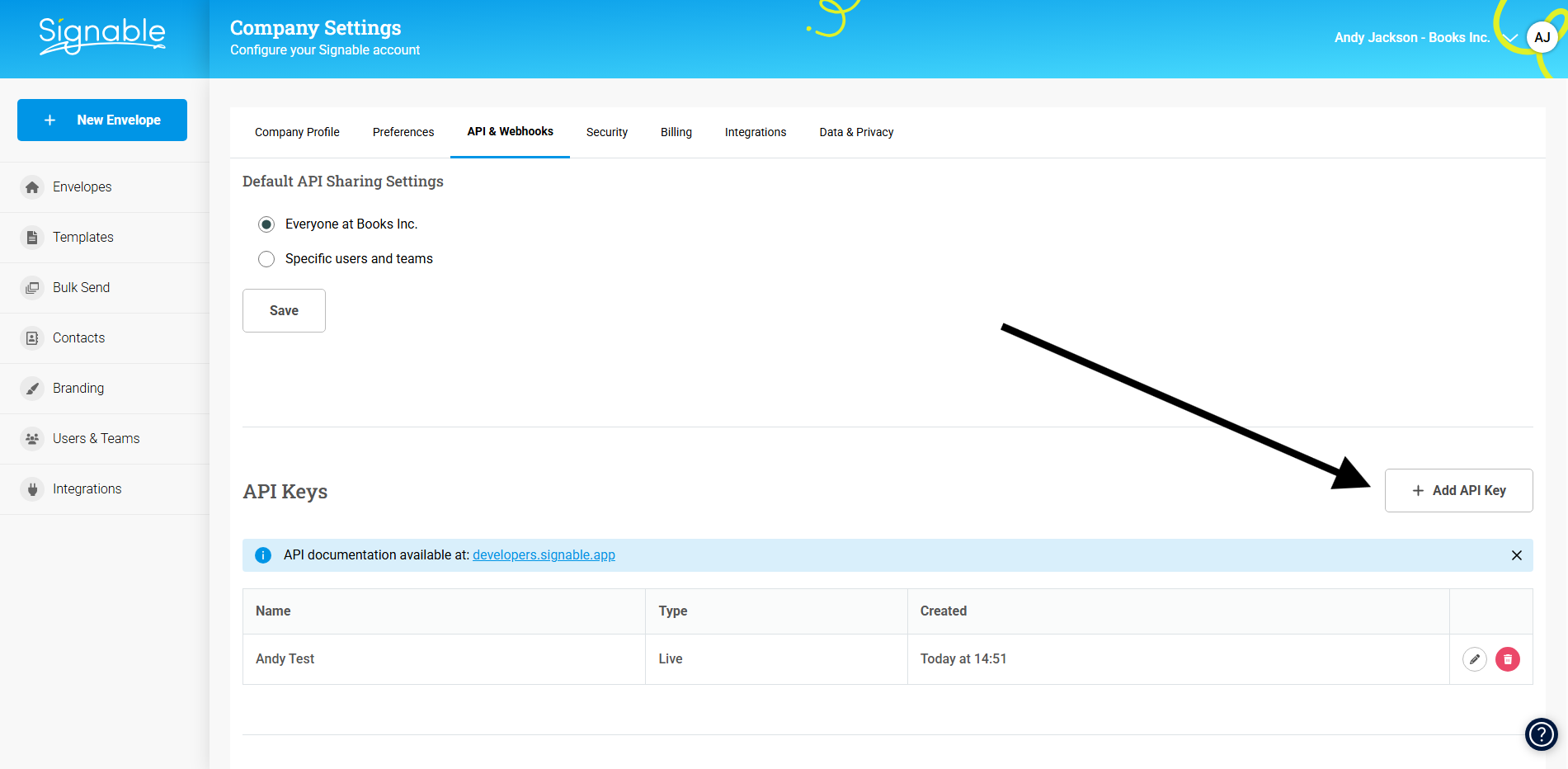
Navigate to Company Settings → API & Webhooks.
Click Add API Key.
Enter a name for your key.
Click Save.
Click Show key to view your API key.
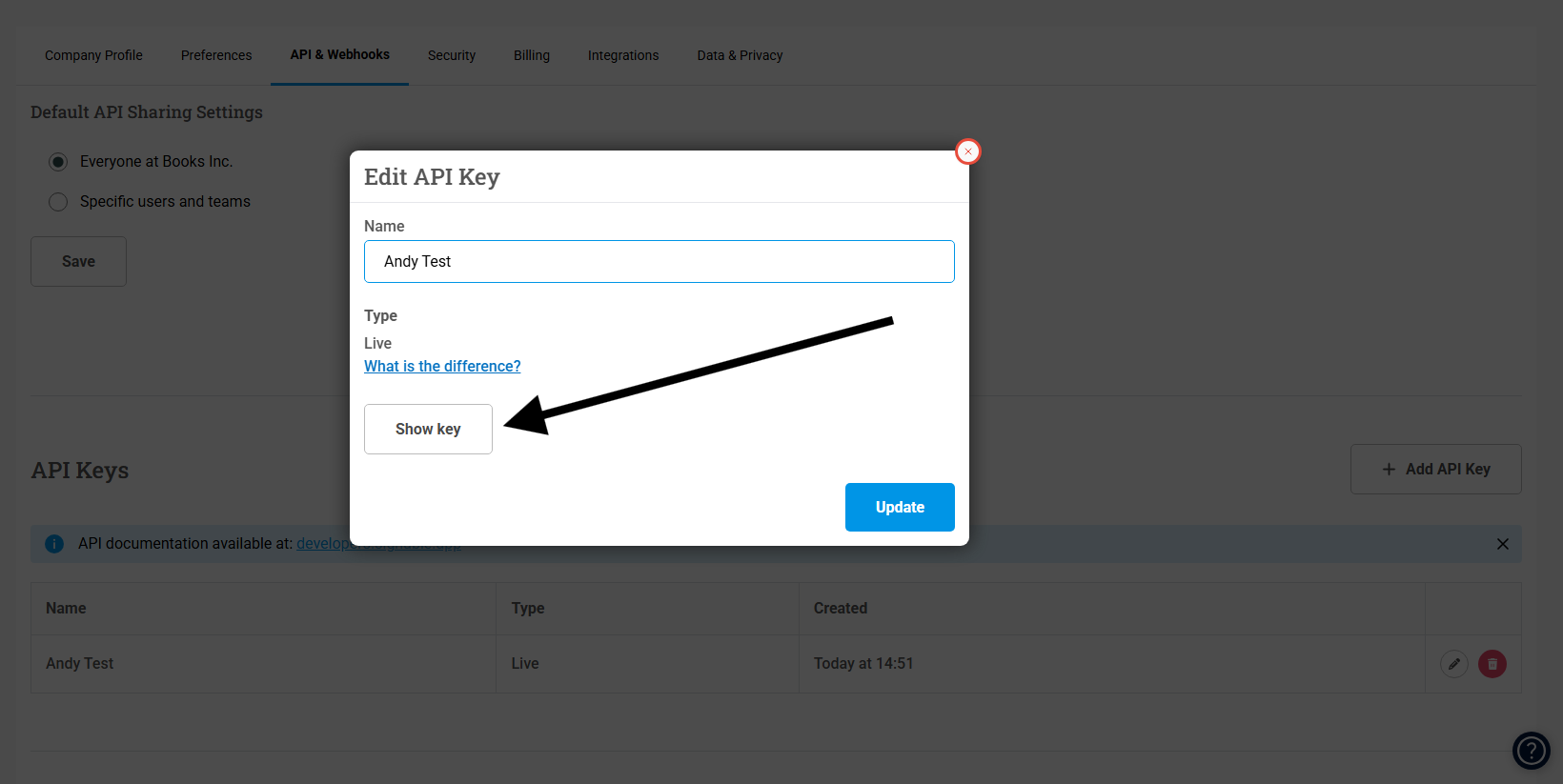
Copy and store your API key securely. The key is displayed only once.
Test API keys allow you to test integrations without affecting production data.
To create a test API key, toggle the Production key switch off in step 5 above. For more information, see Testing API calls.
Warning: You must use HTTPS for all API calls. Signable rejects HTTP requests.
Signable supports TLS 1.2 and higher.
Do not add API keys directly to your code files. If you commit code containing API keys to version control platforms such as Git, GitHub, or similar platforms, others can see and steal your keys.
Instead, store API keys securely in:
- Environment variables
- Secret management services (such as AWS Secrets Manager or HashiCorp Vault)
- Configuration files that are excluded from version control (add them to
.gitignore)
For added security, ensure you:
- Use environment variables or secret management systems.
- Rotate API keys regularly.
- Use test keys for development and production keys for live environments.
If an API key is compromised, revoke it immediately in Company Settings → API & Webhooks.